
You just finished a book and you have thoughts. Maybe a question about the ending, maybe a strong opinion. Book club doesn't meet for two weeks, and not everyone you want to talk to is even in your club.
Or maybe there's no club involved at all. You picked up a book on your own, outside of anything your club is reading, and now you want the same thing club gives you for it: people to talk to about it.
Now you don't have to wait, or have a club to ask.
Meet Book Talk
Every book on Bookclubs now has its own Book Talk page: a running conversation about that book with the wider Bookclubs community, not just your own club. It doesn't matter whether the book came from a club pick or your own to-read list. If it's on Bookclubs, it has a Book Talk page waiting for you.
A few things to know about how it works:
- Anyone can see how a conversation starts, guests included. Check a book's page before you even pick it up to see what people are talking about.
- Posting, replying, and reading full threads is a Bookworm Platinum or Pulitzer perk.
- The first time you post, you'll set a public username. It's separate from your account name, so you can talk books with strangers without using your real name.
- Got a spoiler? Check the "Mark as spoiler" box when you post. Spoiler content is hidden by default, and readers choose when to reveal it.
- You can edit or delete your own posts anytime. Anyone can report a post that crosses a line, and our team reviews it.
Not a Bookworm Platinum or Pulitzer member yet? Upgrading your club to any premium tier comes with the same access, or you can upgrade your own Bookworm plan anytime.
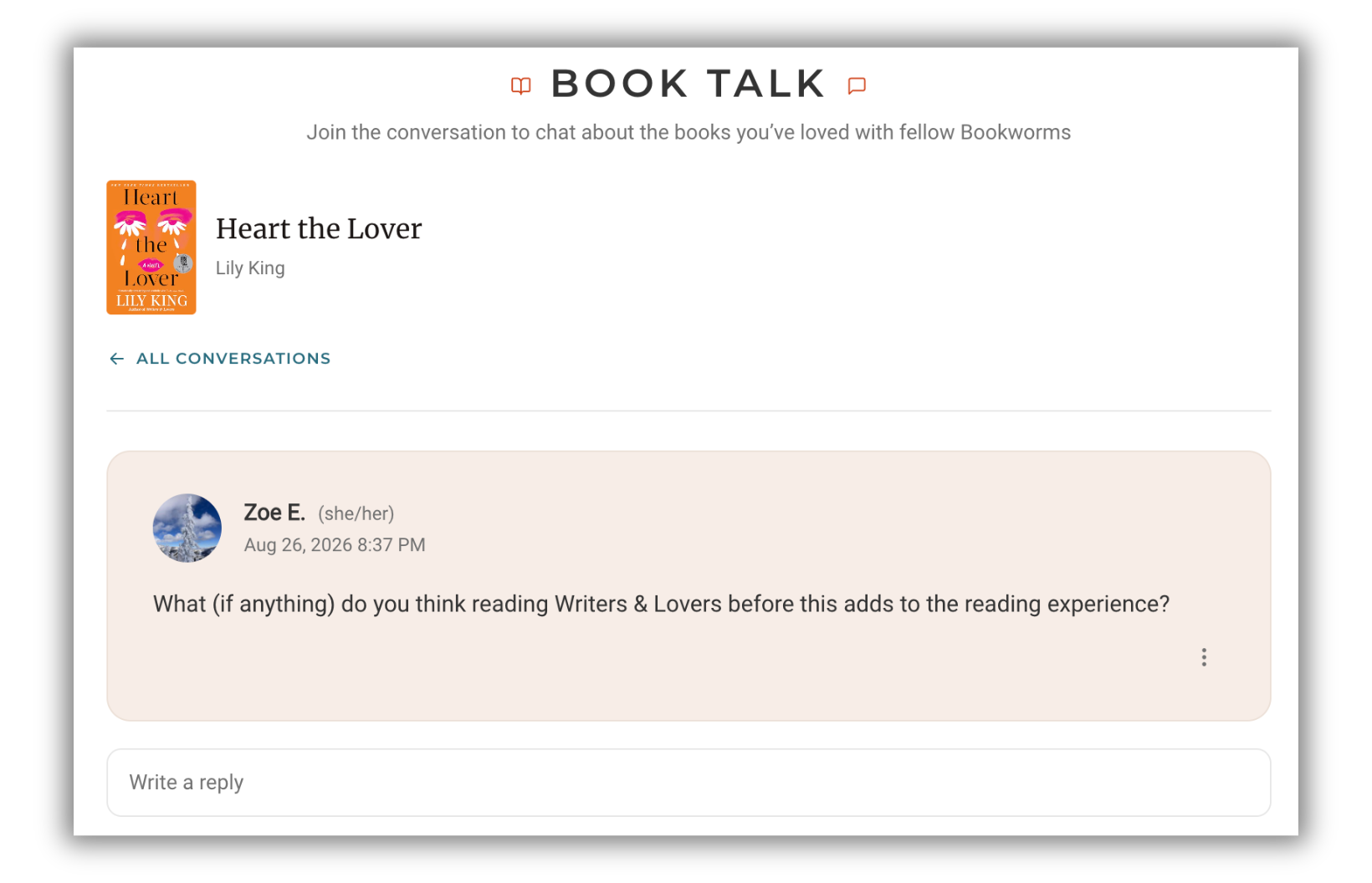
How to find Book Talk
Book Talk is rolling out on web and in the Bookclubs app.
Every book's detail page shows a preview of its Book Talk activity, right alongside its ratings and reviews. Tap Talk about it to jump in, or See all Book Talk under the preview to read the full page.
In the app, look for the Book Talk tab on the book's page, next to About and Reviews.
Finish your next book and go see what people are saying about it. 📚
Not a Bookclubs member yet? Join Bookclubs and find or start a book club today.
COMMENTS
Sanjeev Choubal
Sep 27, 2026 - 1 month
I have joined this club today. I have written a book, "Unblocking your potential", which is available on Kindle. It is available for reading at no cost for a limited time. I am passionate about spreading awareness about the importance of total health (physical and mental) in creating a purposeful and happy life.
Melanie Deal
Sep 24, 2026 - 1 month
Very cool! This is an awesome feature!